eVision Studio
Evaluation and prototyping application
- Create complex processing sequences
- Full support of regions of interest and flexible regions
- Comprehensive configuration panels for eVision tools
- C++, C# and Python code generation
- Tool and sample catalog
- Connection to live image sources using eGrabber Studio
- Compatible with Windows (10 min), Linux, Intel and ARM architectures
- Free of charge
Description
eVision Studio: The Tool To Learn, Prototype, And Demonstrate eVision
Complex image processing sequences can be designed using a graphical interface. The collection of tools represents the diversity and the capabilities of the eVision libraries. The C++, Python and C# source code, corresponding to the processing pipeline, is automatically generated and provides an interactive documentation of the eVision API.
eVision Studio can process live image sources such as a GigE Vision camera, a Coaxlink frame grabber or eGrabber recorder sequences. This application is free of charge, runs on Windows, Linux and is compatible with Intel and ARM 64-bit architectures.
The current version shows tools from: EasyDeepOCR, EasySpotDetector, EasyImage, EasyColor, EasyFind, EasyMatrixCode, EasyQRCode, EasyClassify, EasySegment, EasyLocate, EasyGauge, Easy3DMatch, Easy3DObject, Easy3DLaserLine, EasyObject, EasyBarCode, EasyMatch.
The last version that includes the Legacy Studio application is eVision 26.02.2.
Main Benefits
Graphical Design Of Image Processing Pipelines
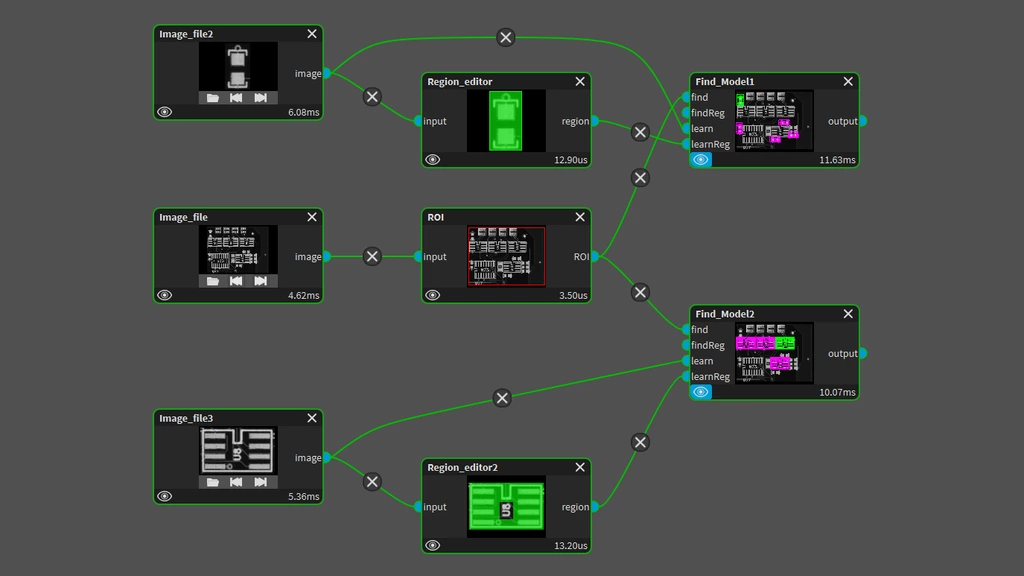
Complex image processing sequences can be designed using a graphical interface. Users can draw graphical links between the inputs and the outputs of the tools. Many eVision data types are supported: images, 3D point clouds, arbitrary regions, … The graph displays the processing time of each tool and the cumulative time of the entire graph.
A Tool Catalog Exposing eVision Capabilities
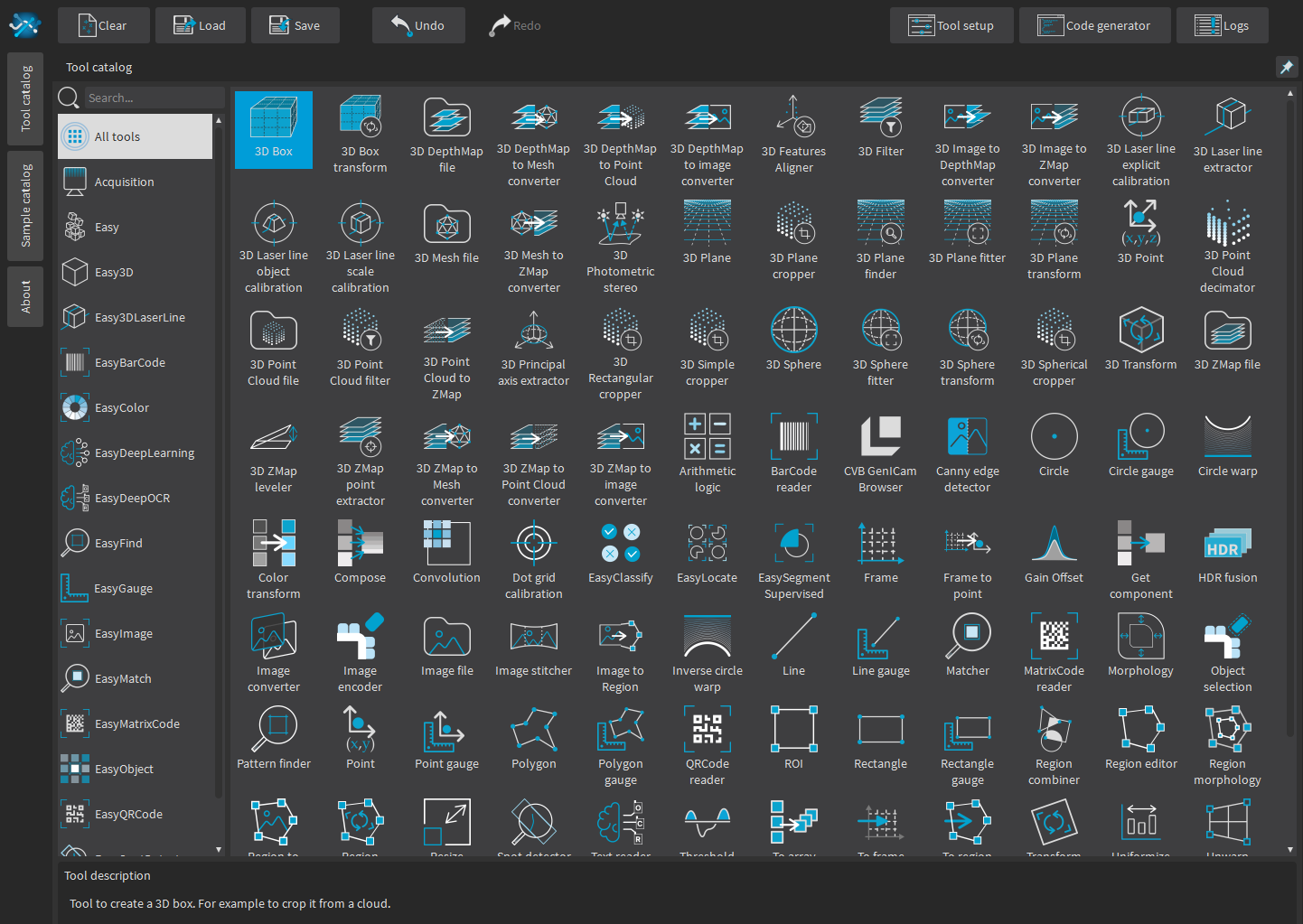
All libraries, including Deep Learning and 3D processing, will appear as tools in eVision Studio. The tool catalog is searchable, and a description is provided for each tool.
3D acquisition and processing
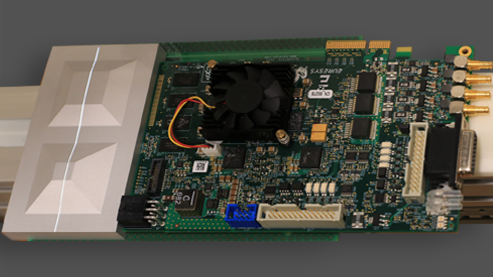
Acquisition of Coaxlink Quad 3D-LLE depth maps.
eVision Studio can be connected to a Coaxlink Quad 3D-LLE frame grabber through eGrabber Studio. This frame grabber delivers live depth maps that can be processed by a large set of 3D and 2D tools: conversion to other 3D formats, calibration, filtering, alignment, decimation…
Comprehensive configuration panels for eVision tools
Dedicated configuration panels have been designed for each tool. These panels expose the various parameters of the tool and a graphical view is proposed when suitable. Results are also displayed in a comprehensive format.
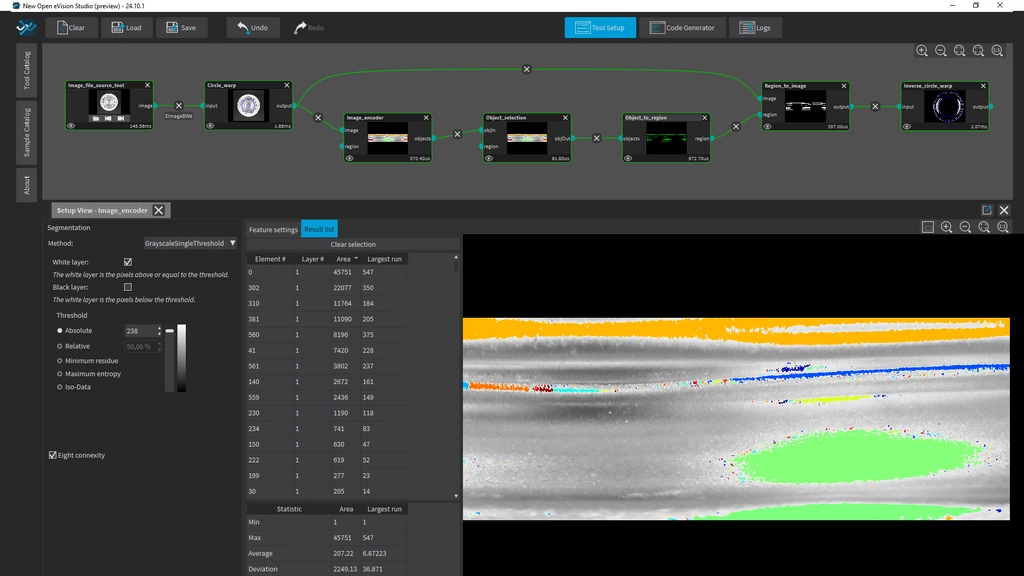
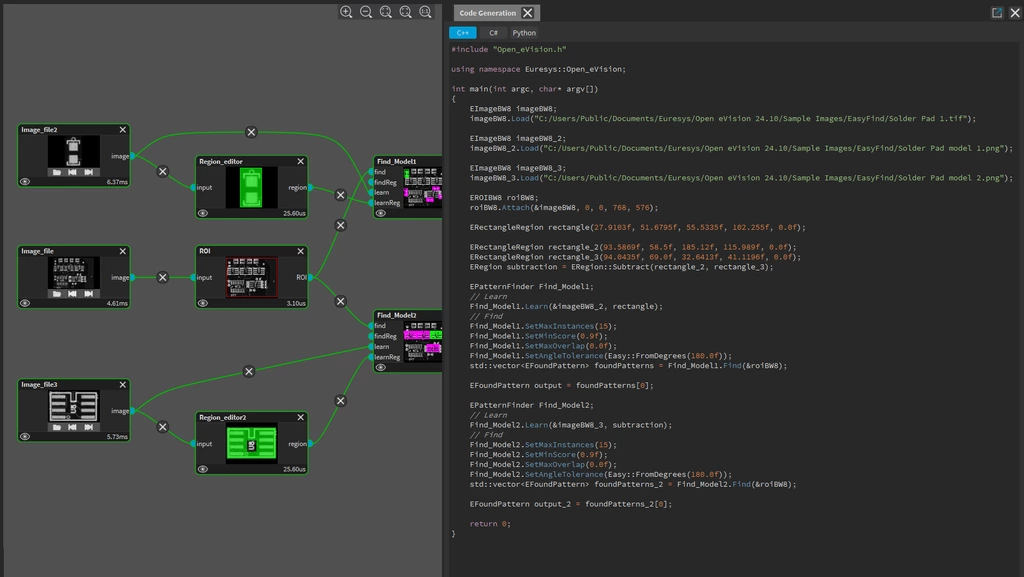
Interactive code generation for C++, C# and Python
The code corresponding to the current processing pipeline and the actual configuration of the tool is automatically and dynamically generated. Three programming languages are supported: C++, C# and Python. These sample programs can be directly used to reproduce the current processing pipeline designed in eVision Studio.
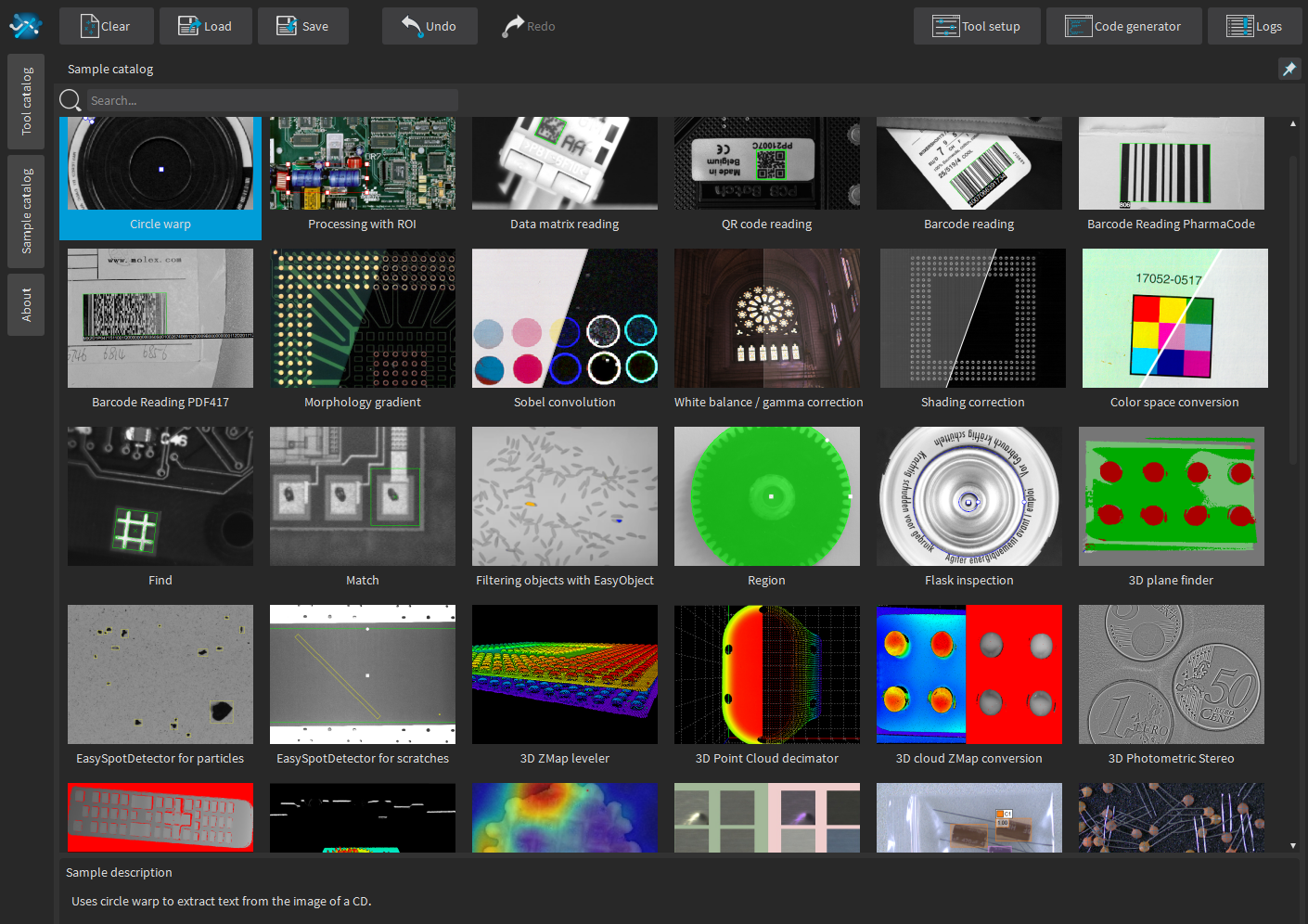
Comes with sample projects for every tool
A catalog of sample projects is available in eVision Studio. These projects illustrate simple or more complex usages of eVision tools. They are provided with sample images and can be edited by the user to match their specific use cases.
Live image acquisition through eGrabber Studio
Any source such as Coaxlink frame grabbers, GigE Vision cameras or recorded containers can be used in eVision Studio. Parameters can be edited dynamically, and the changes are immediately visible in the eVision tools. No license is needed to use GigE Vision cameras or eGrabber recorder containers.

Download eVision Software