


EasyMatch
Pattern Matching Library
- Pattern matching using normalized correlation
- Sub-pixel accuracy
- Rotation and scaling support
- Detection of multiple pattern occurrences
- Support of gray scale and color images
- Support of "don't care" areas
Description
EasyMatch is a gray-level and color pattern matching library. It lets you train the system on a reference pattern and afterwards locate its occurrences in other images. This tool is very convenient when the position of a given part is unknown in the field of view, or if the presence of parts must be controlled. The library works by using normalized correlation method, i.e. measuring discrepancies between the pattern and the target image.
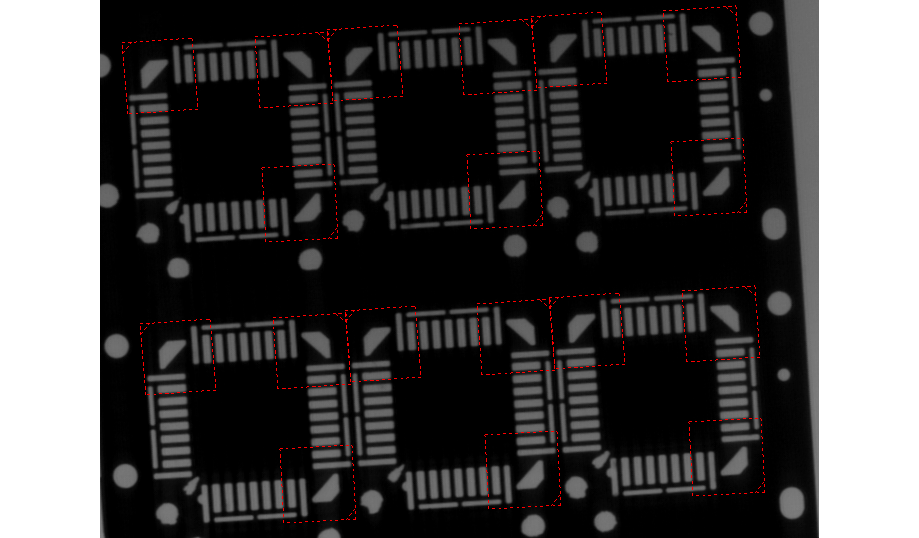
Multiple Pattern Occurences
EasyMatch is able to find several occurrences of a pattern, up to a user-defined number.
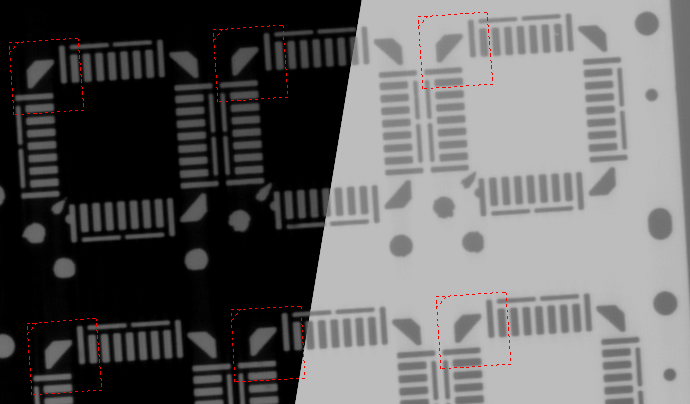
Standard, Offset-Normalized, Gain-Normalized And Fully-Normalized Correlation
The correlation is computed on grey scale or color images. To cope with pattern lighting variations, pattern images are normalized. EasyMatch provides four normalization modes, depending on whether a grey-scale gain and/or offset compensation are used.
Normal, Inverse, Or Mixed Contrast
Because of particular lighting effects, an object can appear with inverted contrast (white on black instead of black on white or conversely). Depending on the application, it can be useful to keep inverted instances or to disregard them. Three contrast modes are available: consider positive occurrences only, negative occurrences only or both.
Translation, Rotation, And Isotropic/Anisotropic Scaling
To find the best matches between the pattern and target image, the target is allowed to translate horizontally and vertically. Additionally, it can be allowed to rotate and/or to change its scale in the X and Y directions simultaneously or independently. The rotation angle and scale factors vary in a user-specified interval. All degrees of freedom can be combined at will.
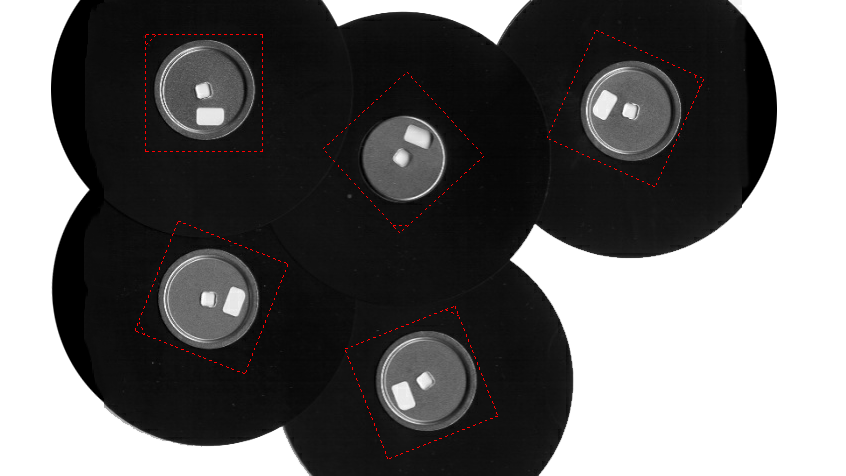
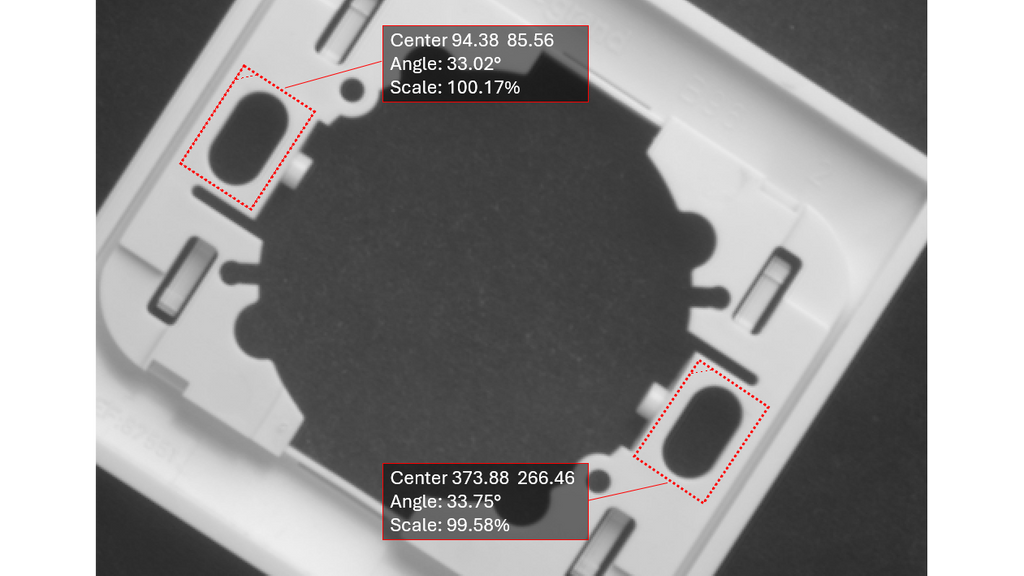
Variable Accuracy, Up To Sub-Pixel Level
The accuracy with which the pattern is measured can be chosen (the less accurate, the faster). A one tenth-of-a-pixel accuracy can be achieved.
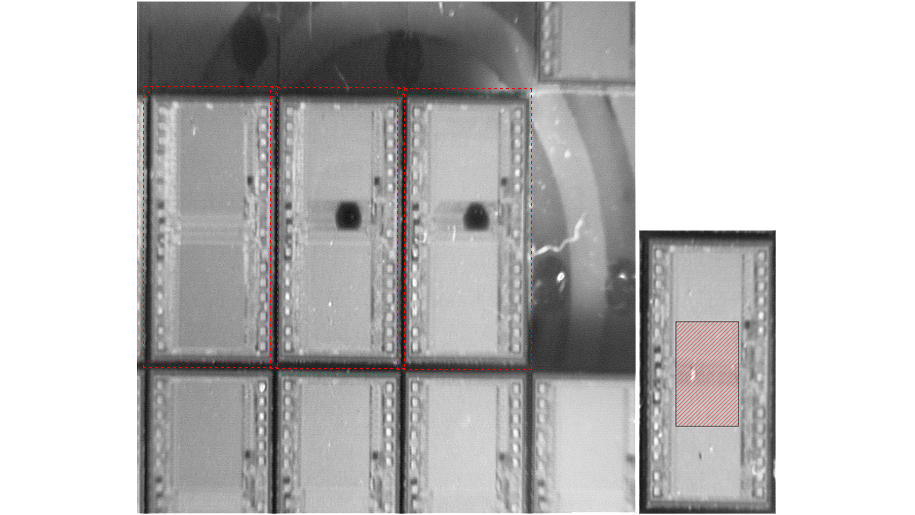
Don't Care Pixels
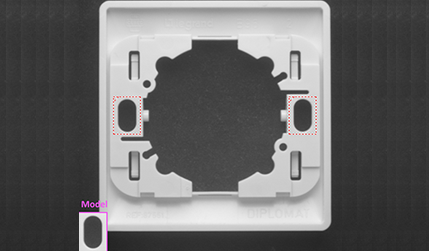
When the pattern cannot be inscribed in a rectangular ROI, the surrounding of the pattern can be ignored by setting the pixels values below a threshold level. These pixels will not take part in the matching process. The same feature can be used if parts of the template change from sample to sample.
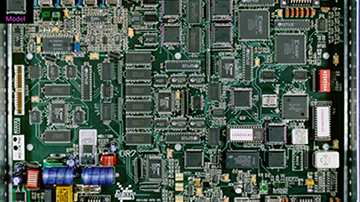
Gray-Level And Color Images
EasyMatch works with 8-bit gray-scale images as well as 24-bit RGB images.
Non-Square Pixels
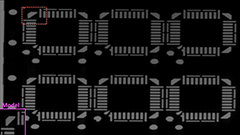
When images are acquired with non-square pixels, rotated objects appear skewed. Taking the pixel aspect ratio into account can compensate for this effect.
Other Benefits
Neo Licensing System
Neo is the new Licensing System. It is reliable, state-of-the-art, and is now available to store Open eVision and eGrabber licenses. Neo allows you to choose where to activate your licenses, either on a Neo Dongle or in a Neo Software Container. You buy a license, you decide later.
Neo Dongles offer a sturdy hardware and provide the flexibility to be transferred from a computer to another. Neo Software Containers do not need any dedicated hardware, and instead are linked to the computer on which they have been activated.
Neo ships with its own, dedicated Neo License Manager which comes in two flavours: an intuitive, easy to use, Graphical User Interface and a Command Line Interface that allows for easy automation of Neo licensing procedures.
All eVision Libraries For Windows And Linux
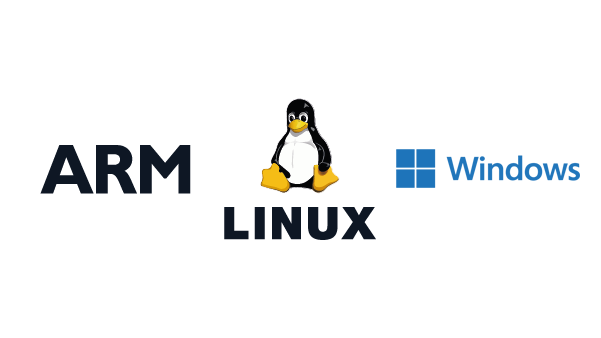
- Microsoft Windows 11, 10 for x86-64 (64-bit) processor architecture
- Microsoft Windows 11, 10 IoT Enterprise on x86_64 systems
- Linux for x86-64 (64-bit) and ARMv8-A (64-bit) processor architectures with a glibc version greater or equal to 2.18
Open eVision Studio
Open eVision Studio is the evaluation, prototyping and development tool of Open eVision.
Its intuitive graphical user interface allows you to call and immediately see the result of any of eVision’s 2D image processing functions. A scripting functionality generates the corresponding code, which can then be copied and pasted into your application.
Open eVision Studio is free (when using Open eVision 2.0 and above) and does not require any license.


Software
- Host PC Operating System
-
Open eVision is a set of 64-bit libraries that require an Intel compatible processor with the SSE4 instruction set or an ARMv8-A compatible processor.
Open eVision can be used on the following operating systems:
Microsoft Windows 11, 10 for x86-64 (64-bit) processor architecture
Microsoft Windows 11, 10 IoT Enterprise for x86-64 systems
Linux for x86-64 (64-bit) and ARMv8-A (64-bit) processor architectures with a glibc version greater or equal to 2.18
Remote connections
Remote connections are allowed using remote desktop, TeamViewer or any other similar software.
Virtual machines
Virtual machines are supported. Microsoft Hyper-V, Oracle VirtualBox and libvirt hypervisors have been successfully tested.
Only the Neo Licensing System is compatible with virtualization.
Minimum requirements:
2 GB RAM to run an Open eVision application
8 GB RAM to compile an Open eVision application
Between 100 MB and 2 GB free hard disk space for libraries, depending on selected options.
- APIs
-
Supported programming languages :
The Open eVision libraries and tools support C++, Python and the programming languages compatible with the .NET (C#, VB.NET)
C++ requirements: A compiler compatible with the C++ 11 standard is required to use Open eVision
Python requirements: Python 3.11 or later is required to use the Python bindings for Open eVision
.NET requirements: .NET framework 4.8 (or later) or the .NET platform 6.0 (or later) are supported
Supported Integrated Development Environments:
Microsoft Visual Studio 2017 (C++, C#, VB .NET, C++/CLI)
Microsoft Visual Studio 2019 (C++, C#, VB .NET, C++/CLI)
Microsoft Visual Studio 2022 (C++, C#, VB .NET, C++/CLI)
QtCreator 4.15 with Qt 5.12
Ordering Information
- Product status
-
Released
- Product code - Description
-
PC4153 Open EasyMatch for USB dongle
PC4303 Open eVision EasyMatch
- Related products
-
PC6512 eVision/Open eVision USB Dongle (empty)
PC6514 Neo USB Dongle (empty)