


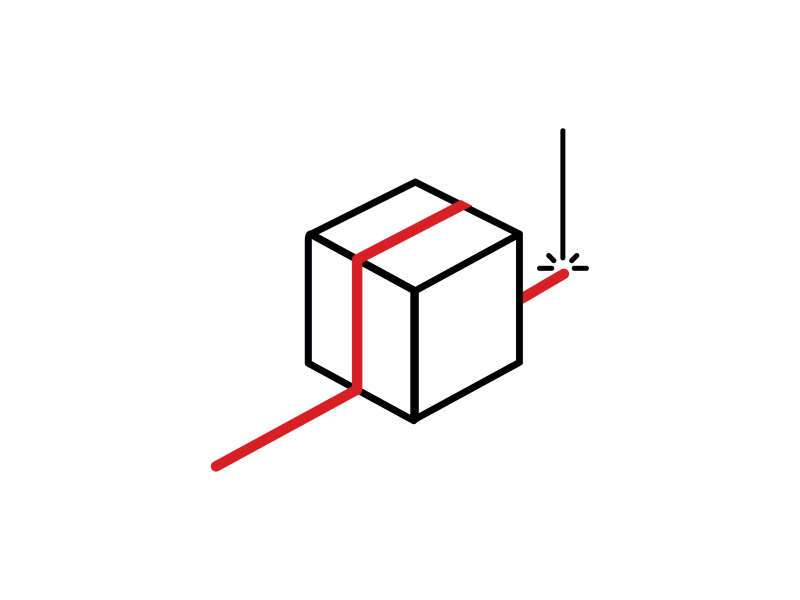
Easy3DLaserLine
3D Laser Line Extraction And Calibration Library
- Single and Dual Laser Line Extraction into a depth map
- Convenient and powerful 3D calibration for laser triangulation setups
- Compatible with the Coaxlink Quad 3D-LLE and - Coaxlink Quad CXP-12 3D-LLE frame grabbers
Description
3D Laser Line Extraction Into A Depth Map
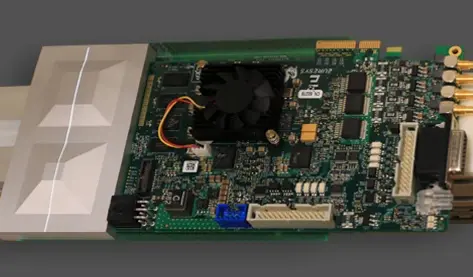
Easy3D generates a depth map from a series of images that contain a laser line projected on the inspected object. Each pixel of the resulting depth map contains the position of the laser line in the image. Several extraction modes are supported as well as various filters. The software line extractor is fully compatible with the hardware implementation in the Coaxlink Quad 3D-LLE frame grabber.
Dual Laser Line Extraction
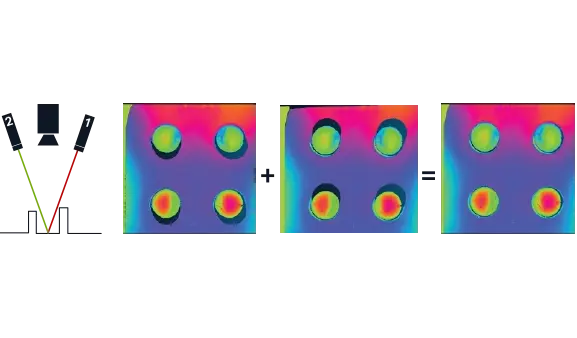
Supported by software and hardware implementations, the dual laser line extraction process reduces the effect of occlusions. Occlusions occur when some parts of the objects are not lit by any laser. Using two lasers with different angles reduces these undefined areas. The object-based calibration included in Easy3DLaserLine allows combining the acquired data into a single calibrated point cloud.
Calibration
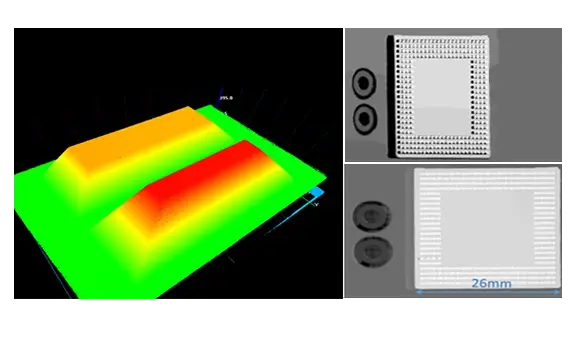
Some processing can be performed directly on a depth map. However, most 3D measurements need distortion-free data and metric representations, therefore calibrating the laser triangulation setup is required. Easy3D computes a calibration model applied to depth maps to transform them into calibrated 3D point clouds. This calibration model is based on the depth map of a reference object, acquired using the laser triangulation setup that requires calibration.
Other Benefits
Neo Licensing System
Neo is the new Licensing System. It is reliable, state-of-the-art, and is now available to store Open eVision and eGrabber licenses. Neo allows you to choose where to activate your licenses, either on a Neo Dongle or in a Neo Software Container. You buy a license, you decide later.
Neo Dongles offer a sturdy hardware and provide the flexibility to be transferred from a computer to another. Neo Software Containers do not need any dedicated hardware, and instead are linked to the computer on which they have been activated.
Neo ships with its own, dedicated Neo License Manager which comes in two flavours: an intuitive, easy to use, Graphical User Interface and a Command Line Interface that allows for easy automation of Neo licensing procedures.
All eVision Libraries For Windows And Linux
- Microsoft Windows 11, 10 for x86-64 (64-bit) processor architecture
- Microsoft Windows 11, 10 IoT Enterprise on x86_64 systems
- Linux for x86-64 (64-bit) and ARMv8-A (64-bit) processor architectures with a glibc version greater or equal to 2.18
new Open eVision Studio
Complex image processing sequences can be designed using a graphical interface. The collection of tools represents the diversity and the capabilities of the Open eVision libraries. The C++, Python and C# source code, corresponding to the processing pipeline, is automatically generated and provides an interactive documentation of the Open eVision API. The New Open eVision Studio can process live image sources such as a GigE Vision camera, a Coaxlink frame grabber or eGrabber recorder sequences.
This application is free of charge, runs on Windows, Linux and is compatible with Intel and ARM 64-bit architectures.
Software
- Host PC Operating System
-
Open eVision is a set of 64-bit libraries that require an Intel compatible processor with the SSE4 instruction set or an ARMv8-A compatible processor.
Open eVision can be used on the following operating systems:
Microsoft Windows 11, 10 for x86-64 (64-bit) processor architecture
Microsoft Windows 11, 10 IoT Enterprise for x86-64 systems
Linux for x86-64 (64-bit) and ARMv8-A (64-bit) processor architectures with a glibc version greater or equal to 2.18
Remote connections
Remote connections are allowed using remote desktop, TeamViewer or any other similar software.
Virtual machines
Virtual machines are supported. Microsoft Hyper-V, Oracle VirtualBox and libvirt hypervisors have been successfully tested.
Only the Neo Licensing System is compatible with virtualization.
Minimum requirements:
2 GB RAM to run an Open eVision application
8 GB RAM to compile an Open eVision application
Between 100 MB and 2 GB free hard disk space for libraries, depending on selected options.
- APIs
-
Supported programming languages :
The Open eVision libraries and tools support C++, Python and the programming languages compatible with the .NET (C#, VB.NET)
C++ requirements: A compiler compatible with the C++ 11 standard is required to use Open eVision
Python requirements: Python 3.11 or later is required to use the Python bindings for Open eVision
.NET requirements: .NET framework 4.8 (or later) or the .NET platform 6.0 (or later) are supported
Supported Integrated Development Environments:
Microsoft Visual Studio 2017 (C++, C#, VB .NET, C++/CLI)
Microsoft Visual Studio 2019 (C++, C#, VB .NET, C++/CLI)
Microsoft Visual Studio 2022 (C++, C#, VB .NET, C++/CLI)
QtCreator 4.15 with Qt 5.12
Ordering Information
- Product status
-
Released
- Product code - Description
-
PC4186 Open Easy3DLaserLine for USB dongle
PC4336 Open eVision Easy3DLaserLine
- Included libraries
-
Easy3D
Easy3DLaserLine
- Related products
-
PC1637 Coaxlink Quad 3D-LLE
PC6512 eVision/Open eVision USB Dongle (empty)
PC6514 Neo USB Dongle (empty)