


EasyDeepOCR
深層学習ベースの光学式文字認識ライブラリ
- シリアル番号、有効期限、部品番号などの工業用マーキング向けに設計されたツール
- 非常に使いやすく、シンプルなAPIでトレーニング不要
- 不要なテキストを除外するトポロジー定義オプション
- 速度を損なうことなくテキスト読み取り能力に重点を置いた設計
- 少数のサンプルで処理パイプラインを最適化するオプション
- CPU/GPU、Intel/ARMプラットフォームで動作
説明
EasyDeepOCRは、深層学習技術を活用して現代の文字認識課題を解決する次世代OCRライブラリです。画像内の文字検出と文字認識は完全に自動化されています。文字のトポロジーを活用することで文字の曖昧性を低減し、不要な文字をフィルタリングできます。少数のサンプルのみで実行可能な最適化プロセスにより処理速度を向上させます。 EasyDeepOCRはEasyOCRおよびEasyOCR2ライブラリから大幅な改良を加え、使いやすさと強化された機能を両立させています。
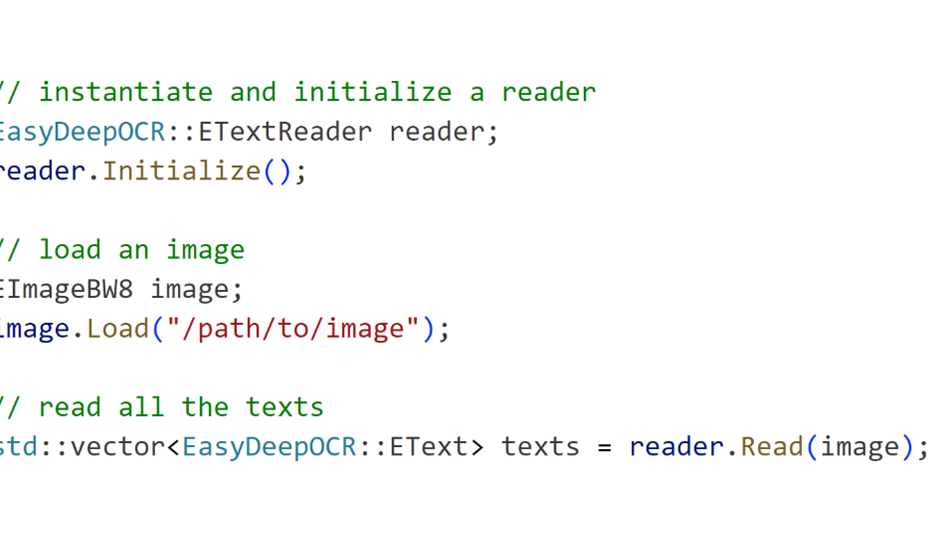
シンプルなAPIでありながら、驚くべき結果を実現
たった1回の「Read」呼び出しで、画像内のすべてのテキストが検出され読み取られます。複雑な設定は不要です。
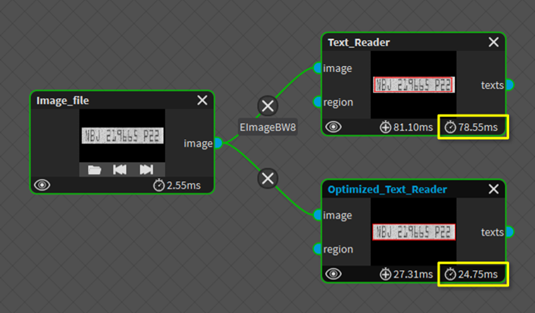
処理を高速化するための最適化
処理パイプラインの最適化機能により、読み取り速度が向上します。ユーザーは通常1~3枚程度のサンプル画像をアノテーションする必要があります。その後、EasyDeepOCRが処理時間を短縮する内部パラメータを選択します。
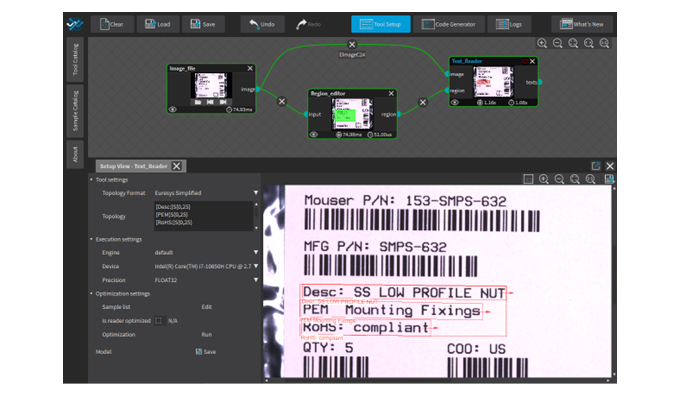
新登場のフル機能搭載New Open eVision Studioツール
New Open eVision StudioのEasyDeepOCRツールは、このライブラリの全機能を公開しています。ユーザーはトポロジーを選択し、サンプル画像にアノテーションを付与することでパイプラインの最適化を実行できます。ディープラーニング実行設定が公開されており、異なるデバイス(CPU、GPU)やエンジン(OpenVINO、TensorRTなど)を選択可能です。
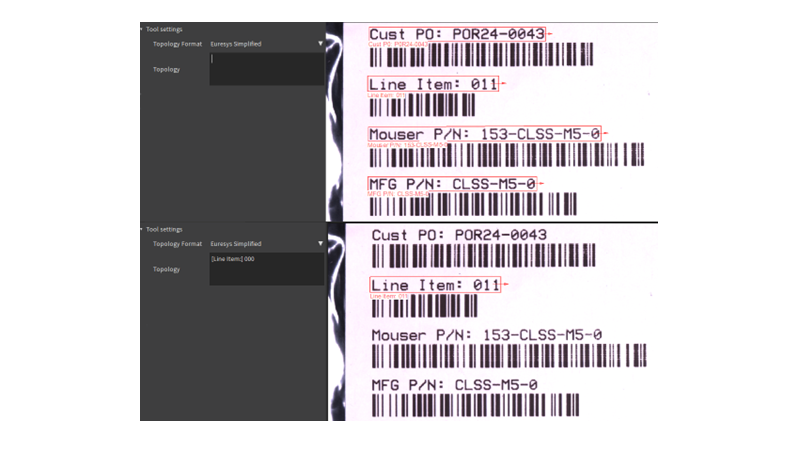
トポロジーの定義:適切なテキストに焦点を当てる
トポロジーは対象テキストの書式を定義します。工業用マーキングの文脈では、有効期限や部品番号など厳密な書式が求められるテキストに焦点を当てる上で非常に実用的です。トポロジーの定義により、ユーザーは必要なテキストのみを取得できるだけでなく、曖昧さを減らすことで文字認識の精度向上にも寄与します。
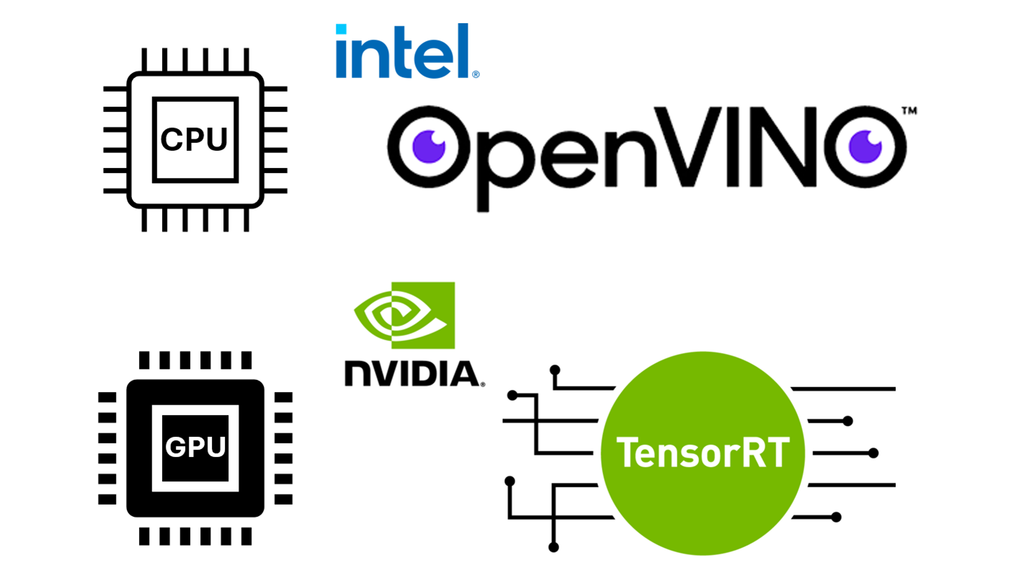
CPU(Intel OpenVINO)とGPU(NVIDIA TensorRT)における良好なパフォーマンス
EasyDeepOCRは、OpenVINOによるIntelおよびARM CPU、ならびにTensorRTによるNVIDIA GPUでの実行に最適化されています。
New Open eVision Studio
複雑な画像処理シーケンスはグラフィカルインターフェースを使用して設計できます。ツール群はOpen eVisionライブラリの多様性と機能性を体現しています。処理パイプラインに対応するC++、Python、C#のソースコードは自動生成され、Open eVision APIのインタラクティブなドキュメントを提供します。New Open eVision Studioは、GigE Visionカメラ、Coaxlinkフレームグラバー、eGrabberレコーダーのシーケンスなど、ライブ画像ソースを処理できます。
本アプリケーションは無料で、Windows、Linux上で動作し、IntelおよびARMの64ビットアーキテクチャに対応しています。


Software
- Host PC Operating System
-
Open eVision is a set of 64-bit libraries that require an Intel compatible processor with the SSE4 instruction set or an ARMv8-A compatible processor.
Open eVision can be used on the following operating systems:
Microsoft Windows 11, 10 for x86-64 (64-bit) processor architecture
Microsoft Windows 11, 10 IoT Enterprise for x86-64 systems
Linux for x86-64 (64-bit) and ARMv8-A (64-bit) processor architectures with a glibc version greater or equal to 2.18
Remote connections
Remote connections are allowed using remote desktop, TeamViewer or any other similar software.
Virtual machines
Virtual machines are supported. Microsoft Hyper-V, Oracle VirtualBox and libvirt hypervisors have been successfully tested.
Only the Neo Licensing System is compatible with virtualization.
Minimum requirements:
2 GB RAM to run an Open eVision application
8 GB RAM to compile an Open eVision application
Between 100 MB and 2 GB free hard disk space for libraries, depending on selected options.
- APIs
-
Supported programming languages :
The Open eVision libraries and tools support C++, Python and the programming languages compatible with the .NET (C#, VB.NET)
C++ requirements: A compiler compatible with the C++ 11 standard is required to use Open eVision
Python requirements: Python 3.11 or later is required to use the Python bindings for Open eVision
.NET requirements: .NET framework 4.8 (or later) or the .NET platform 6.0 (or later) are supported
Supported Integrated Development Environments:
Microsoft Visual Studio 2017 (C++, C#, VB .NET, C++/CLI)
Microsoft Visual Studio 2019 (C++, C#, VB .NET, C++/CLI)
Microsoft Visual Studio 2022 (C++, C#, VB .NET, C++/CLI)
QtCreator 4.15 with Qt 5.12
- Input
-
Monochrome and color images
Minimum text height: 12 pixels
Text line maximum aspect ratio: 20
Number of text lines in image: unlimited
Ordering Information
- Product status
-
Released
- Product code - Description
-
PC4191 Open EasyDeepOCR for USB dongle
PC4341 Open eVision EasyDeepOCR
- Related products
-
PC6512 eVision/Open eVision USB Dongle (empty)
PC6514 Neo USB Dongle (empty)