


EasyColor
彩色图像分析库
- 快速在11种色彩空间间转换图像
- 色彩分割:根据物体颜色进行识别
- 色彩验证:验证物体的颜色
描述
EasyColor包含一组优化的色彩系统转换函数和色彩分析函数。支持的色彩系统包括RGB、XYZ、L*a*b*、L*u*v*、YUV、YIQ、ISH、LSH、VSH、LCH和YSH。EasyColor提供高效手段,可在这些系统间进行图像转换,并将彩色图像转换为灰度图像,反之亦然。
操作原则
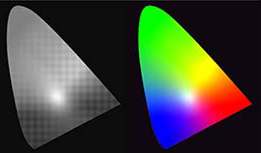
尽管RGB(红、绿、蓝)色彩表示法非常适合色彩再现(显示器和相机均采用此法),但为满足不同需求,人们还设计了许多其他表示法。特别是"明度/饱和度/色相"色彩系统,非常适用于机器视觉应用。 EasyColor支持其中几种方案。这些方案将无色(黑白)成分(强度)与描述色彩的有色成分(饱和度和色调)分离。
这种设计能更直观地解读色彩,在消除光照影响的同时实现高效的色彩分割。因此进行彩色图像处理时,必须将相机输出的RGB图像转换为LSH、ISH或YSH等其他色彩空间。EasyColor为此提供了一套优化的色彩空间转换函数。
传统彩色图像处理函数
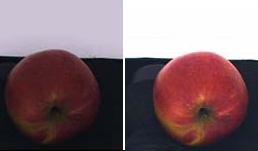
EasyColor还包含传统彩色图像处理功能(如拜耳模式转换和色彩平衡校正),以及强大的色彩分析功能,可帮助用户检测和分类彩色物体及缺陷。例如,彩色图像分割功能通过为每个像素分配类别,实现对彩色图像的不同区域进行分解。
色彩图像分割功能可与EasyObject协同使用,对分割区域进行斑块分析。用户还可通过为各色度分量设定数值范围来筛选像素——例如仅依据色相选择"橄榄绿"像素,同时对明度与饱和度进行宽松判别,从而消除表面与光照效应的影响。
EasyColor 函数
- 色彩转换:用于比色系统转换、增益/偏移(色彩)、色彩校准或色彩平衡(伽马预补偿、白平衡)的查找表(LUT)
- 色彩图像组件的合并与提取
- 伪彩色处理
- 基于色彩分类的图像分割
- 特殊色彩格式处理:YUV 422解压缩及Bayer模式转RGB
其他福利
新许可系统
Neo 是全新的授权系统。它可靠且技术先进,现已支持存储 Open eVision 和 eGrabber 授权。Neo 允许您选择授权激活方式:可通过 Neo 硬件密钥或 Neo 软件容器激活。购买授权后,您可随时决定激活方式。
Neo加密狗提供坚固的硬件支持,可灵活转移至不同计算机使用。Neo软件容器无需专用硬件,仅与激活所在的计算机绑定。
Neo自带专属许可证管理器,提供两种操作模式:直观易用的图形用户界面,以及可轻松自动化Neo许可证流程的命令行界面。
适用于 Windows 和 Linux 的所有 eVision 库
- Microsoft Windows 11、10 适用于 x86-64(64 位)处理器架构
- Microsoft Windows 11、10 IoT Enterprise 适用于 x86_64 系统
- 适用于 x86-64(64 位)和 ARMv8-A(64 位)处理器架构的 Linux,需使用 glibc 2.18 及以上版本
Open eVision Studio
Open eVision Studio 是 Open eVision 的评估、原型设计与开发工具。
其直观的图形用户界面支持调用 eVision 的任意 2D 图像处理功能,并即时显示处理结果。脚本功能可生成对应代码,用户可直接复制粘贴至应用程序中。
Open eVision Studio 完全免费(需搭配 Open eVision 2.0 及以上版本使用),且无需任何许可证。



Software
- Host PC Operating System
-
Open eVision is a set of 64-bit libraries that require an Intel compatible processor with the SSE4 instruction set or an ARMv8-A compatible processor.
Open eVision can be used on the following operating systems:
Microsoft Windows 11, 10 for x86-64 (64-bit) processor architecture
Microsoft Windows 11, 10 IoT Enterprise for x86-64 systems
Linux for x86-64 (64-bit) and ARMv8-A (64-bit) processor architectures with a glibc version greater or equal to 2.18
Remote connections
Remote connections are allowed using remote desktop, TeamViewer or any other similar software.
Virtual machines
Virtual machines are supported. Microsoft Hyper-V, Oracle VirtualBox and libvirt hypervisors have been successfully tested.
Only the Neo Licensing System is compatible with virtualization.
Minimum requirements:
2 GB RAM to run an Open eVision application
8 GB RAM to compile an Open eVision application
Between 100 MB and 2 GB free hard disk space for libraries, depending on selected options.
- APIs
-
Supported programming languages :
The Open eVision libraries and tools support C++, Python and the programming languages compatible with the .NET (C#, VB.NET)
C++ requirements: A compiler compatible with the C++ 11 standard is required to use Open eVision
Python requirements: Python 3.11 or later is required to use the Python bindings for Open eVision
.NET requirements: .NET framework 4.8 (or later) or the .NET platform 6.0 (or later) are supported
Supported Integrated Development Environments:
Microsoft Visual Studio 2017 (C++, C#, VB .NET, C++/CLI)
Microsoft Visual Studio 2019 (C++, C#, VB .NET, C++/CLI)
Microsoft Visual Studio 2022 (C++, C#, VB .NET, C++/CLI)
QtCreator 4.15 with Qt 5.12
Ordering Information
- Product status
-
Released
- Product code - Description
-
PC4154 Open EasyColor for USB dongle
PC4304 Open eVision EasyColor
- Related products
-
PC6512 eVision/Open eVision USB Dongle (empty)
PC6514 Neo USB Dongle (empty)

